Smart Audit for Passwords
Overview
Smart Audit for Passwords enables Administrators to quickly identify and manage passwords that are not complex, weak, or duplicated by analyzing password integrity and complexity, and providing a centralized security-focused view.
Prerequisites
-
You must be an Administrator or Manager to use Smart Audit for Passwords.
How password strength is evaluated
Smart Audit for Passwords brings an industry‑standard method for evaluating password strength into IT Glue. Passwords are analyzed using zxcvbn, an open‑source algorithm that estimates how difficult a password is to crack using brute‑force or guess‑based attacks.
The zxcvbn algorithm was originally created by Dropbox as an open-source research project and published freely for anyone to use or adapt. IT Glue does not use any of its code or infrastructure. We use an independently maintained Ruby port of the algorithm, which is a self-contained library with no external dependencies and no connection to Dropbox's systems, servers, or services. This approach goes beyond basic complexity rules by assessing real‑world attack patterns, making it one of the strongest and most widely trusted password‑strength models in the industry.
How the analysis works
- All password strength evaluation is performed within IT Glue's own servers.
- No password data is transmitted to any third party, including Dropbox.
- The library operates entirely offline, it is a mathematical scoring algorithm, not a cloud service.
Each password is assigned a strength score based on this analysis. Passwords that fall below a strength value of Two (Fair) are identified as weak, helping teams quickly recognize credentials that may increase security risk and require remediation.
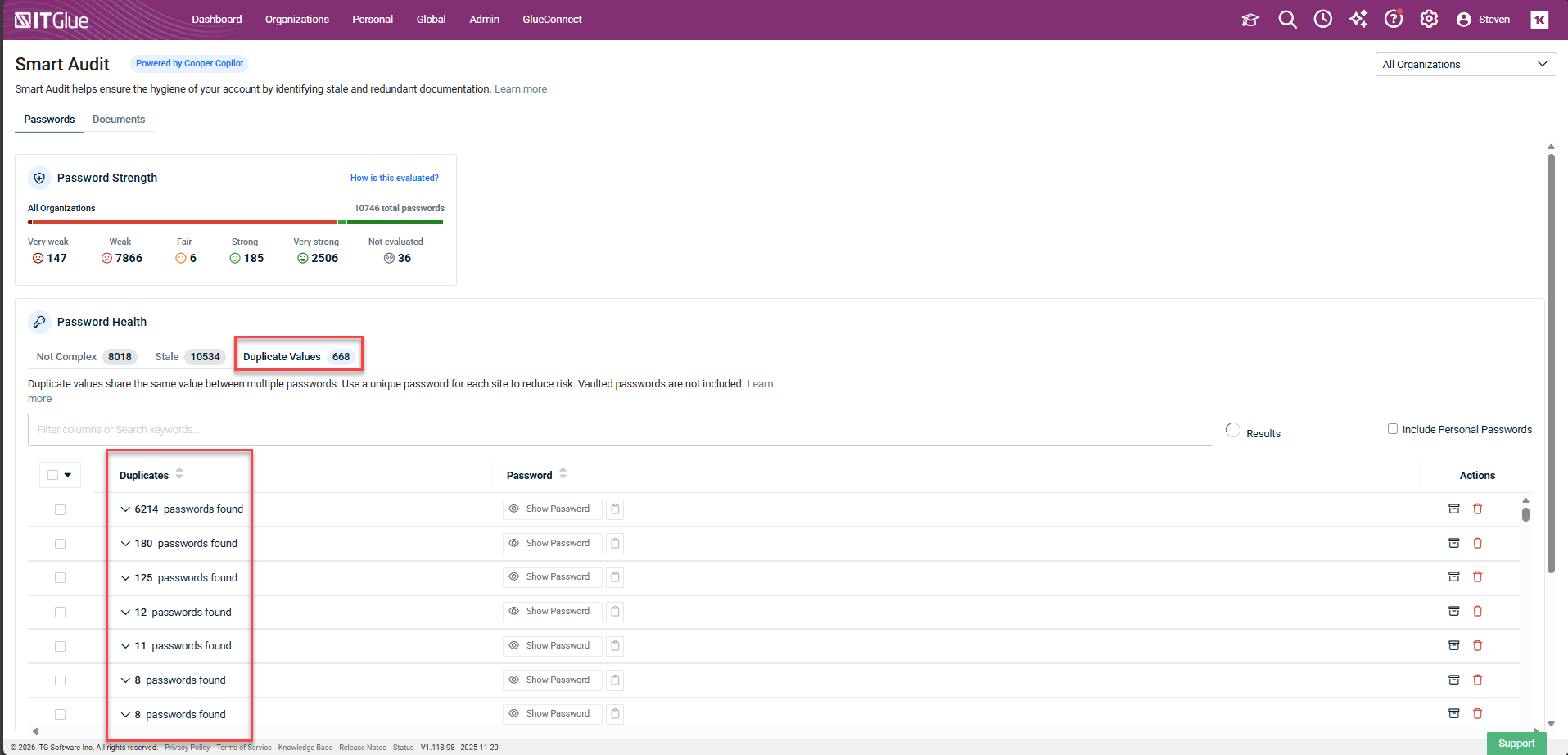
The Password Health widget at the top of the page provides a clear view of overall password strength. You can view this summary across your entire account, across all organizations, or within a single organization, enabling consistent monitoring and informed security decisions at every level.
Key takeaways
Zxcvbn is a widely respected, peer-reviewed password strength estimator and is considered an industry standard for evaluating password strength without exposing credentials.
- No data leaves IT Glue's servers for password analysis
- No connection to Dropbox systems or infrastructure
- Open-source, auditable, zero external dependencies
- Industry-standard algorithm with strong academic backing
- Also used across other Kaseya products following internal security review
Granting permission to evaluate passwords
Encryption
IMPORTANT IT Glue requires your permission to evaluate the strength or complexity of your existing passwords and to check for duplicate passwords. This process requires IT Glue to momentarily decrypt and immediately reencrypt your existing passwords in the same way as when an IT Glue user views or copies a password.
Initial evaluation
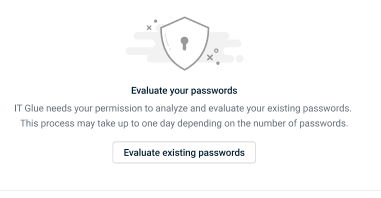
For large accounts, it typically takes about two hours to evaluate all passwords. After the initial evaluation, IT Glue will automatically evaluate any deltas without requiring any extra decryption. On the Not Complex or Duplicate Values tab, click Evaluate existing passwords to start the evaluation:
Subsequent evaluations
You can automatically evaluate any new passwords or ones you view, copy, or update without requiring special permission.
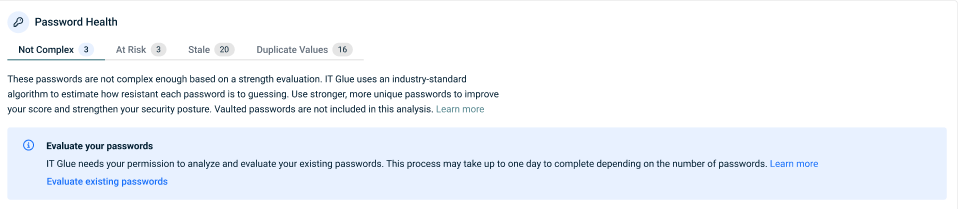
To grant IT Glue permission to evaluate your existing passwords, an Administrator must approve evaluation from the Not Complex or Duplicates tab:
Instructions
Auditing your Passwords
-
Log in to your IT Glue account and click the AI icon on the upper-right corner of the top navigation menu.

-
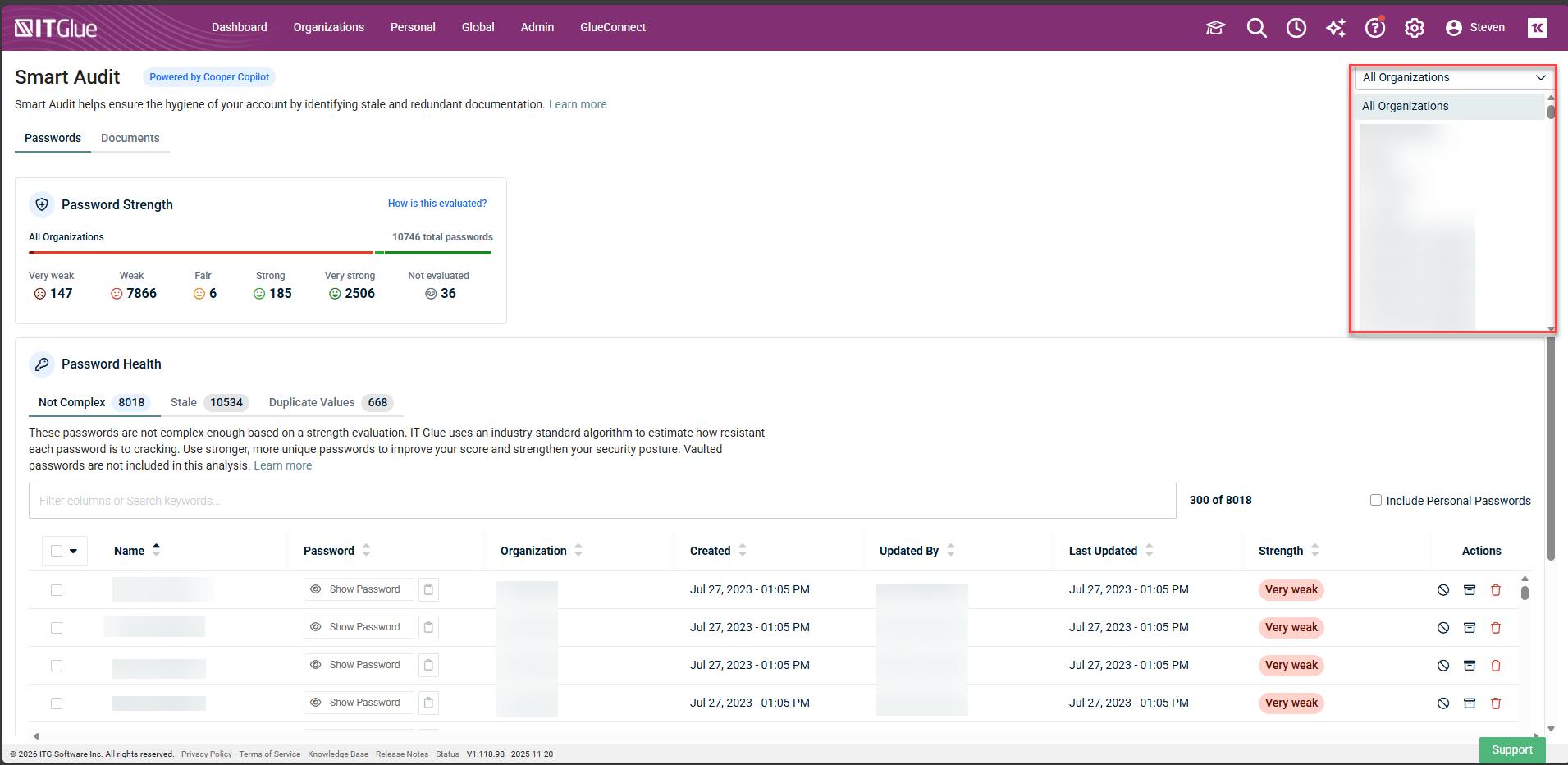
Click the drop-down menu on the top right corner of the page and select an organization name to view passwords for a single organization or select All Organizations to view passwords across your whole account.
-
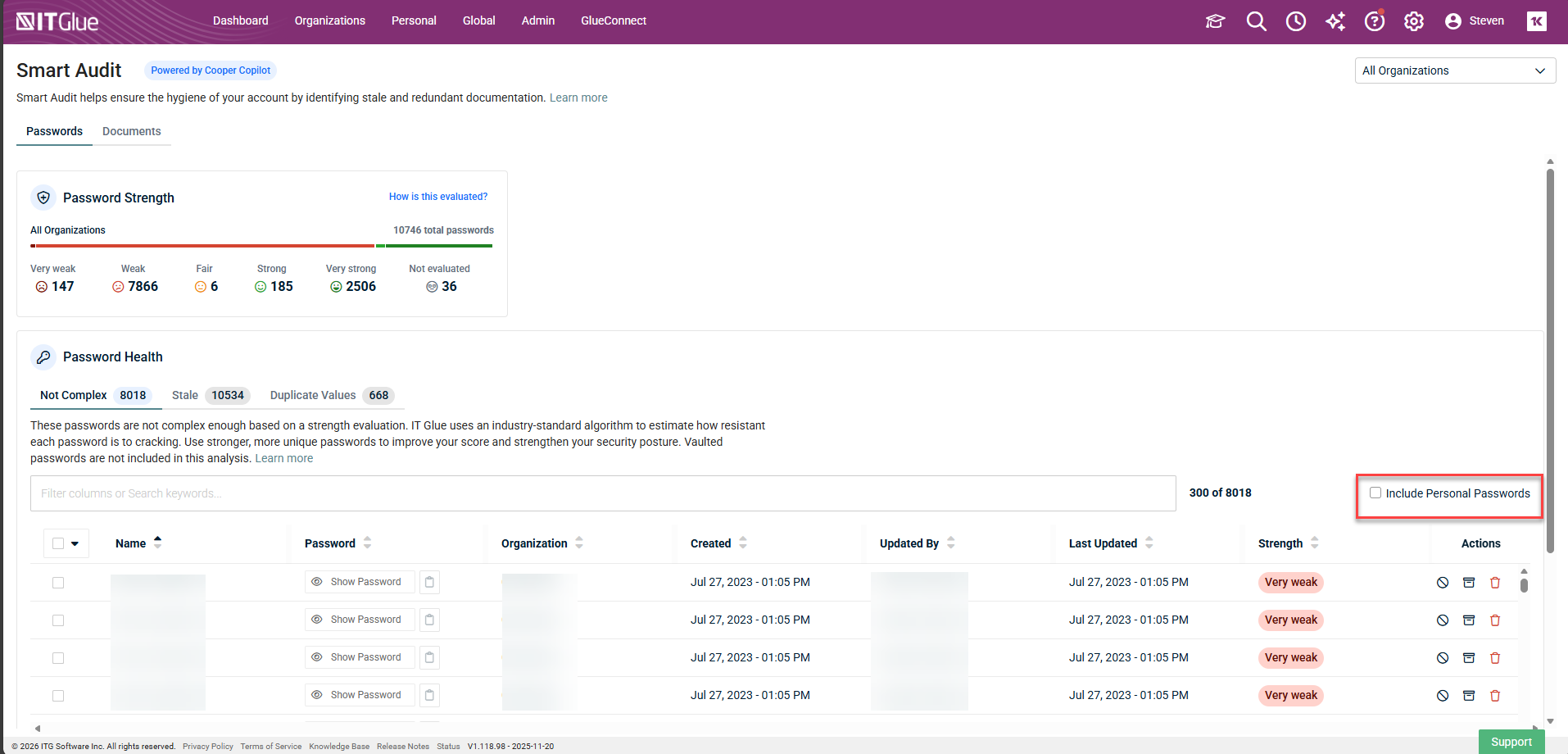
Select Include Personal Passwords to include any personal passwords in your view.
-
From the Not Complex and Stale tabs, you can perform bulk actions. If you select a group to perform a bulk action, all passwords in that group will have the action applied to them, with the exception of Rotate (see next section). You can perform the following bulk action on the Not Complex and Stale tabs:
- Delete
- Archive
- Ignore
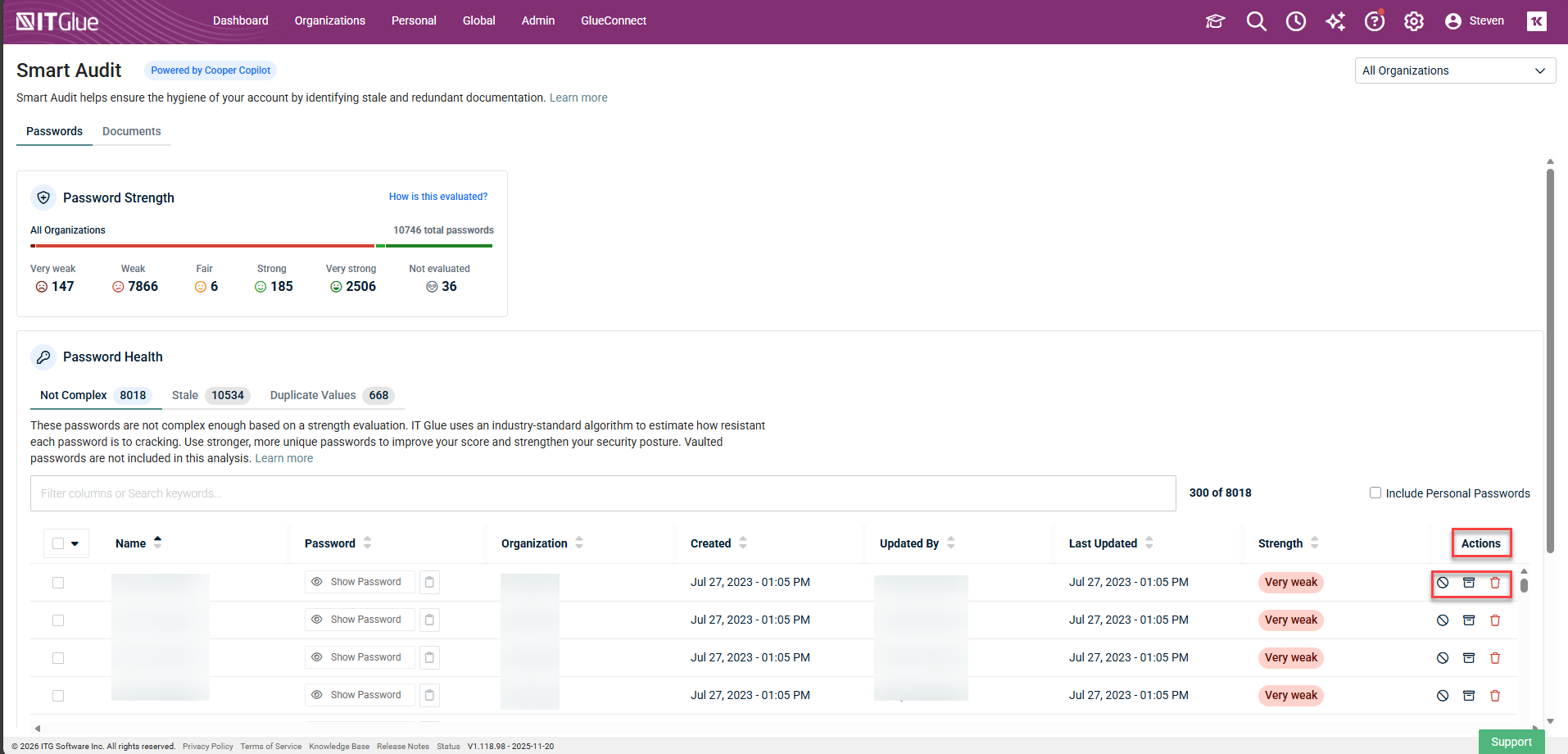
NOTE You can only archive or delete passwords from the Duplicate Values tab.
Rotating Passwords
For environments using Network Glue, you are able to Rotate Microsoft Entra ID, Microsoft 365, and Active Directory passwords.
Not complex, stale, and duplicate passwords
NOTE Vaulted passwords are not included in the Non Complex nor Duplicate Values tabs in Smart Audit, as IT Glue cannot evaluate them unless they are removed from the Vault.
Not Complex
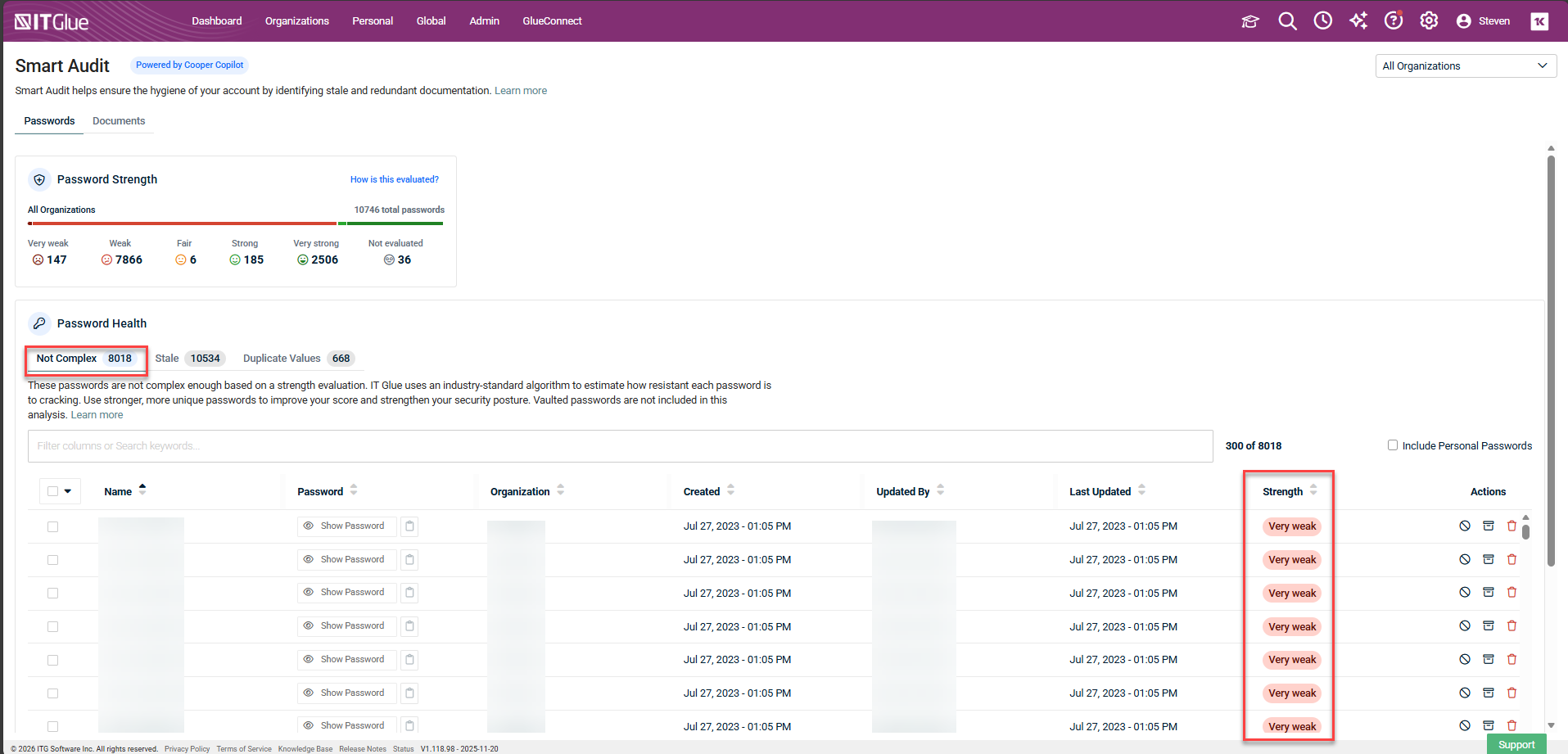
All passwords found to be below a strength value of 2, or Fair, as per the algorithm, are shown on the Not Complex tab as Weak or Very Weak. 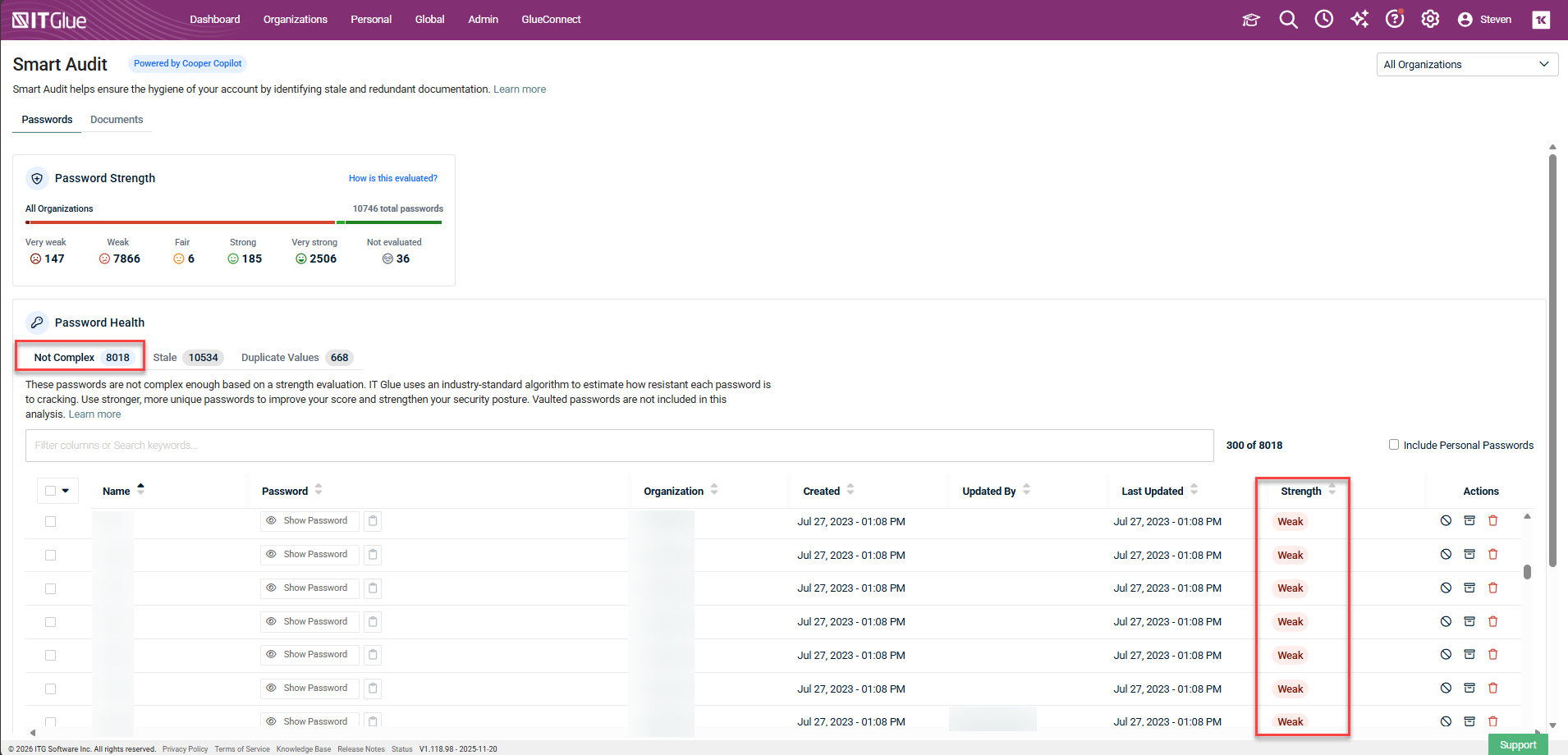
Stale
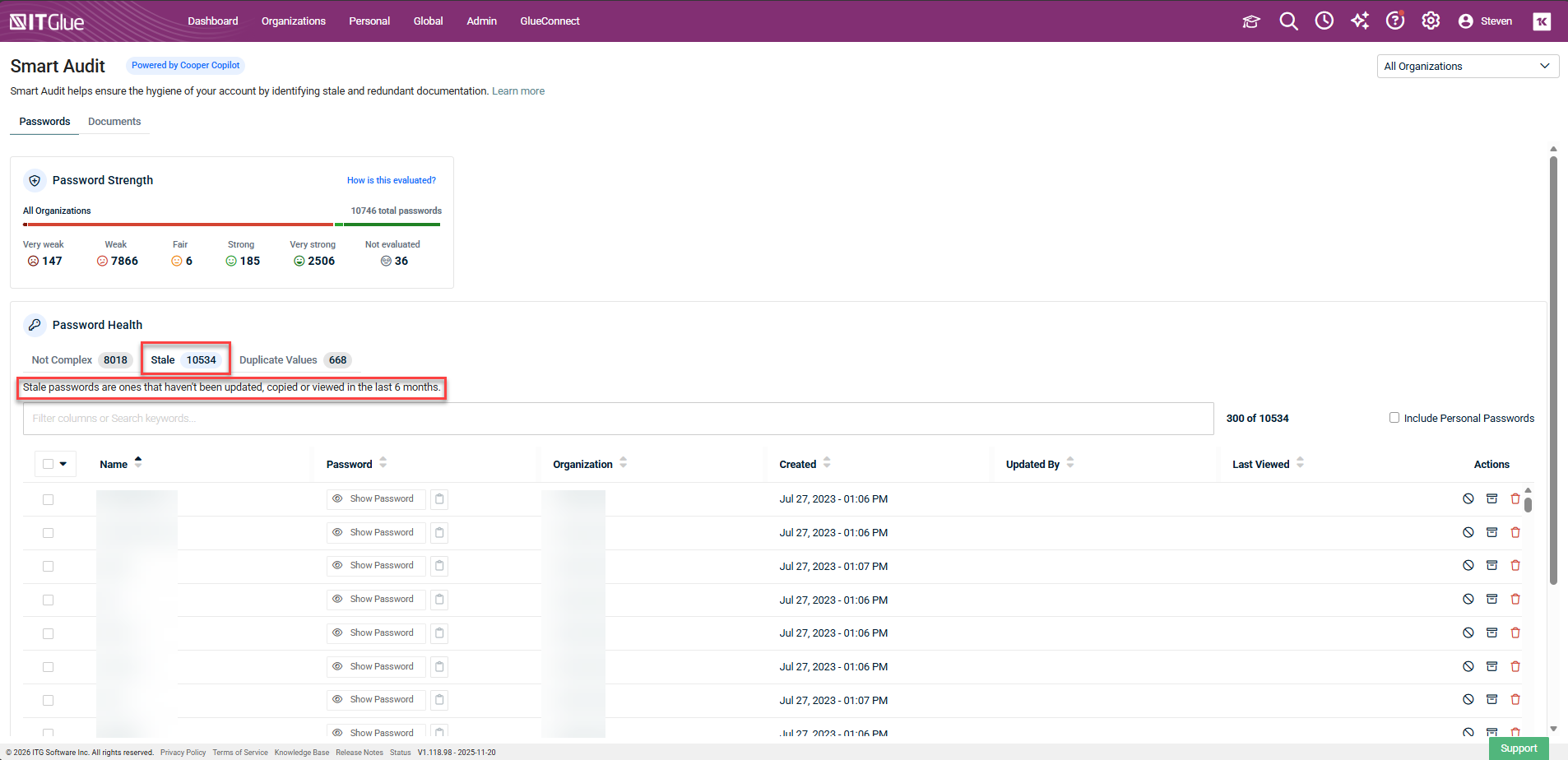
The Stale tab shows any passwords which have not been accessed, including via the browser extension or the mobile app in the last 6 months or more.
Duplicates values
The Duplicate Values tab shows passwords found to have duplicate password values. Duplicates are nested together. Expand the group to view the password name and username, and to perform actions on individual rows.